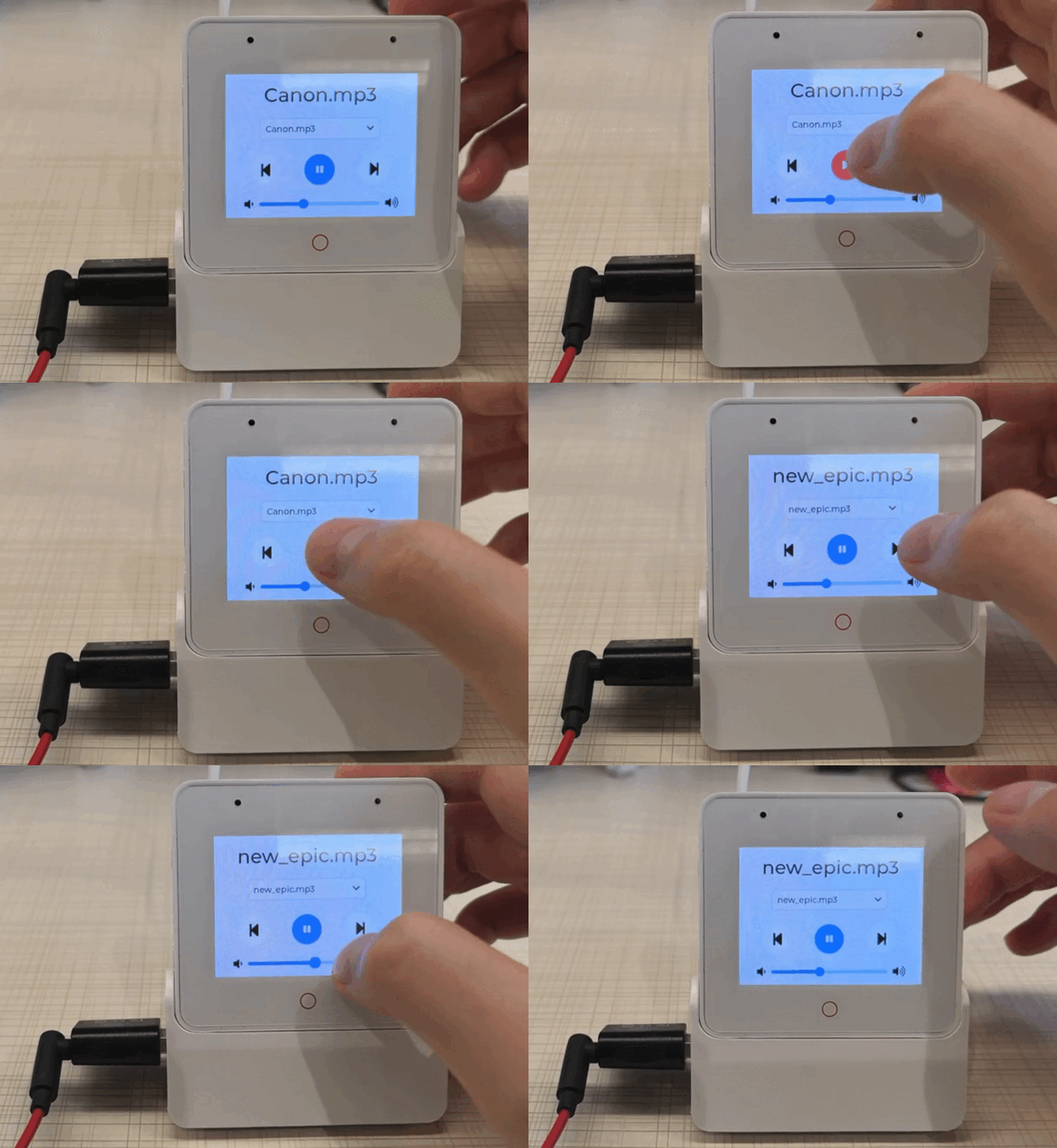
MP3 Player Example
| Board | Support Status |
|---|---|
| ESP32-S3-BOX | YES |
| ESP32-S3-BOX-Lite | YES |
| ESP32-S3-BOX-3 | YES |
Playing MP3 music on the ESP-BOX supports external USB headphone playback (only compatible with ESP32-S3-BOX-3) and playback through the built-in speakers of the ESP-BOX.
When USB headphones are connected, the example defaults to playing through the USB headphones. When the headphones are disconnected, it automatically switches to speaker playback. When the headphones are reconnected, it switches back to headphone playback.
Note: Playing music through USB headphones requires the USB port to support power output. However, the USB Type-C port on the left side of the ESP-BOX does not provide power output. Therefore, You need to connect it to the ESP32-S3-BOX-3-DOCK base and use a USB-A to Type-C adapter (or a USB-A to 3.5mm headphone jack adapter) for operation, as shown in the diagram below.
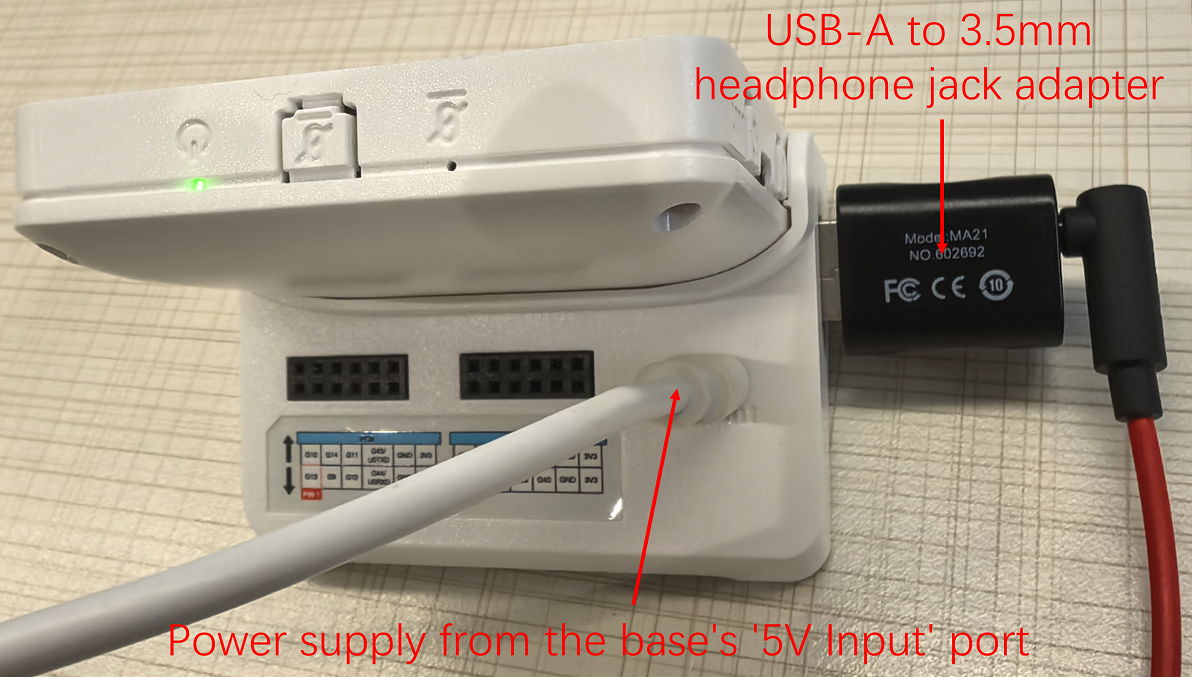
This demo will scan the files in the specified directory (/spiffs by default) and try to decode and play. You can manually mount the SD card and switch to play MP3 files from the SD card.
We will support switching the sample rate and the number of channels in the next version to make it more flexible.
How to use example
Hardware Required
- A ESP32-S3-BOX-3 / ESP32-S3-Box / ESP32-S3-BOX-Lite
- A USB-C cable for power supply and programming
- ESP32-S3-BOX-3-DOCK
- a USB headphones or USB-A to 3.5-mm headphone jack adapter
Follow detailed instructions provided specifically for this example.
Build and Flash
Run idf.py flash monitor to build, flash and monitor the project.
Once a complete flash process has been performed, you can use idf.py app-flash monitor to reduce the flash time.
(To exit the serial monitor, type Ctrl-]. Please reset the development board f you cannot exit the monitor.)
Demo Display